Website vs Web Application: What Does Your Business Actually Need?
How to decide between a business website and a custom web application based on workflows, SEO, and budget
iAppstack Editorial & Engineering Team
Web Platform & Digital Solutions Specialists
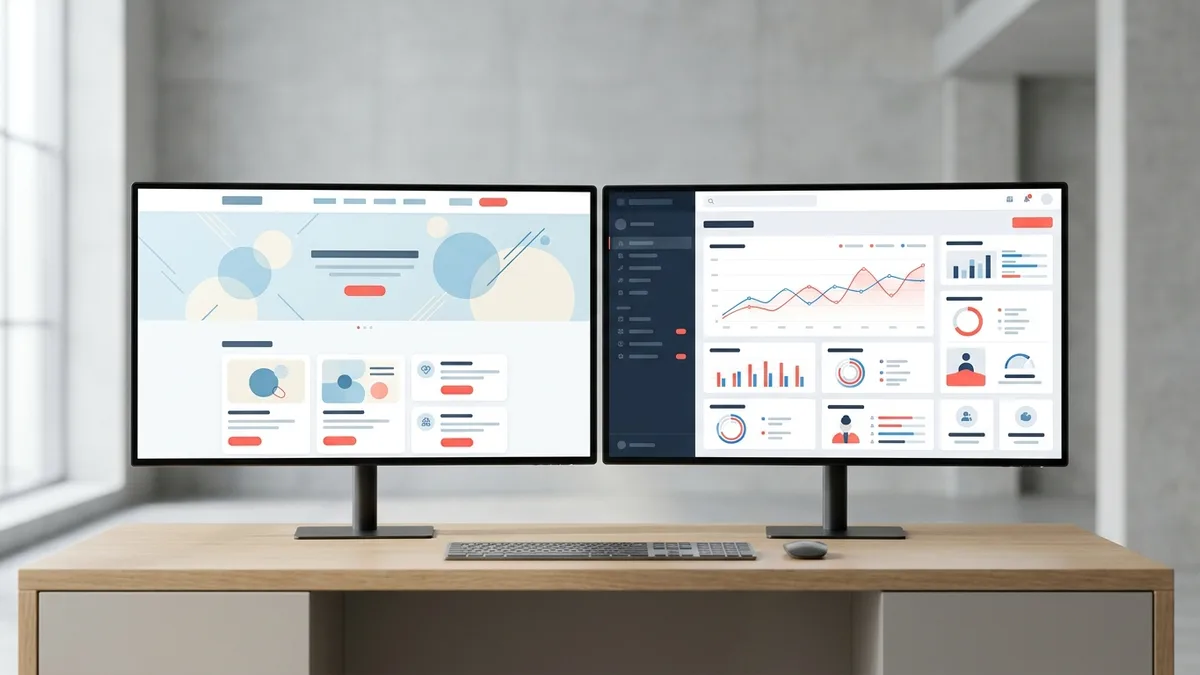
The difference between a website and a web application comes down to user interaction: a website primarily informs and converts visitors, while a web application lets users log in and perform tasks.
Understanding which solution your business actually needs prevents overspending on unnecessary complexity—or underbuilding a system that cannot support your daily workflows.
1. Choosing the Right Digital Solution
Many business owners use the terms “website” and “web application” interchangeably when planning a digital project. However, from an engineering, budgeting, and SEO standpoint, they serve very different roles.
Not every business needs a complex custom web application. Sometimes a fast, high-converting corporate website is the smartest investment; other times, an interactive portal or management system is essential to automate operations.
2. What Is a Website?
A website is a collection of publicly accessible, interlinked web pages designed primarily to present information, build brand credibility, and capture leads. Visitors read content, browse services, watch media, and submit contact or quote forms, without needing complex account-based workflows.
Common examples include corporate websites, service company sites, editorial blogs, and brand portfolios—such as the responsive corporate site iAppstack designed and built for ChargeMSI using Figma and WordPress.
3. What Is a Web Application?
A web application is an interactive software program accessed through a browser where users authenticate, manipulate data, and complete dynamic tasks. Instead of simply reading static pages, users interact with live databases, dashboards, permissions, and backend APIs.
Common examples include online booking systems, customer self-service portals, eCommerce storefronts with account histories, SaaS dashboards, and internal operations or inventory management systems.
4. Website vs Web Application: Key Differences
| Dimension | Business Website | Custom Web Application |
|---|---|---|
| Primary Purpose | Inform visitors, rank in search engines, and generate leads or enquiries. | Enable users to log in, manage data, transact, and complete workflows. |
| User Interaction | Mostly read/consume content, navigate pages, and submit contact forms. | Create, edit, filter, collaborate, schedule, and trigger backend actions. |
| Authentication | Usually public (only an admin CMS login for content editors). | Core user accounts, role-based access control (RBAC), and session security. |
| Architecture | Static/SSR pages, CMS templates, lightweight APIs for forms. | Frontend state management, relational databases, REST/GraphQL APIs, integrations. |
| Integration Complexity | Analytics, CRM lead webhooks, chat widgets, basic newsletter tools. | Payment gateways, ERP/CRM sync, cloud storage, automated notifications. |
5. Features of a Business Website
- Clear service pages, company background, and case studies
- Fast mobile-responsive layout and accessible typography
- Search-engine-friendly URLs, sitemaps, and structured metadata
- Lead capture forms, appointment booking embeds, and clear CTAs
- Content Management System (CMS) or structured blog publishing
- Low hosting complexity with CDN caching for rapid page loads
6. Features of a Custom Web Application
- User accounts, authentication, and role-based permissions
- Dynamic dashboards, real-time status tracking, and filtering
- Custom business logic, automated billing, or booking rules
- Database storage with audit trails and exportable reports
- Third-party API integrations (payments, shipping, CRM, ERP)
- Automated testing suites to protect complex workflows across releases
7. Website vs Web Application: Cost and Development Considerations
Because a business website focuses on presentation, brand messaging, and lead capture, it typically requires less backend engineering, fewer security edge cases, and shorter QA cycles than a custom web application.
A web application demands deeper upfront discovery, database modeling, API security, state management, and ongoing cloud maintenance. Choosing a website when you only need lead generation saves budget; conversely, trying to force complex portal workflows into a basic template website creates brittle plugins and higher long-term rework.
8. SEO, Performance, and User Experience Differences
Public websites rely heavily on organic search visibility and Core Web Vitals (LCP, INP, and CLS) so Google can crawl, index, and rank pages cleanly. Server-side rendering (SSR) or static generation—as explored in our React vs Next.js comparison—is ideal for fast, indexable business websites.
Behind-login web applications prioritize interactive responsiveness, keyboard/table usability, reliable state updates, and role security over search indexing (since private dashboards should not be indexed by search engines).
9. When Does Your Business Need a Website?
Corporate & Service Websites
Product Showcase & Marketing Sites
10. When Should You Build a Web Application?
eCommerce & Booking Systems
Customer Portals, SaaS & Management Systems
11. Can a Website Grow into a Web Application?
Yes—and for many businesses, a phased approach is the most practical path. You can launch a fast, SEO-focused marketing website first to validate demand and build brand authority, then introduce authenticated portal features (or link to a dedicated web application on a subdomain or subpath like app.yourdomain.com) once user workflows are confirmed.
Building the initial site on a modern framework like Next.js makes adding authenticated API routes and interactive modules later much smoother than outgrowing a rigid page builder.
12. How iAppstack Helps Businesses Build Websites and Web Applications
At iAppstack Solutions, our website and web application development team helps organizations choose the simplest architecture that meets their real goals. Whether you need a high-performing corporate website with strong UI/UX design, a custom booking portal, or a full-scale SaaS web application, we tailor the stack to your requirements.
Unsure whether a website or a custom web app makes more sense right now? Contact the iAppstack team for a practical recommendation based on your workflows and budget.
13. Frequently Asked Questions
Is an eCommerce store a website or a web application?
Why does a web application cost more than a standard business website?
Can a single platform combine both a website and a web application?
Does my small business need a custom web application?
Which technology is best for websites and web applications?
FREQUENTLY ASKED QUESTIONS.
READY TO TURN YOUR IDEA INTO A DIGITAL PRODUCT?
Whether you're planning a mobile application, SaaS platform, or custom website, contact iAppstack to explore a suitable development approach.